Best Budget-Friendly Digital Display Solutions for Small Businesses
Small businesses are frequently told that digital display technology is out of their reach, that it’s a tool for large chains, corporate campuses, and retail groups with dedicated marketing budgets. This is not accurate.
The cost of commercial digital display hardware has fallen significantly over the past five years. Cloud-based CMS platforms have made content management accessible without IT infrastructure investment. And the range of formats available, from a single 43-inch display to a compact counter-top screen, means that a deployment can start small and grow as the business does.
The honest answer to “what’s the most budget-friendly digital display solution?” is: it depends on what the display needs to do, where it’s going, and what you’ll put on it. This guide gives small business owners the framework to make a sensible first investment, without overspending on features they don’t need yet.
Starting Point: What Does the Display Actually Need to Do?
Before looking at hardware, answer this question: what is the single most valuable thing a digital display could do for your business in the next twelve months?
For most small businesses, the answer falls into one of a few categories:
- Replace a static menu board or price list that needs updating every time something changes
- Promote offers, new products, or seasonal campaigns without printing new material each time
- Communicate with customers in a waiting area, a queue, a reception, a service desk
- Direct visitors or customers in a space with multiple areas or services
The answer determines the right format, the right size, and the right CMS tier, and in most cases, it points toward a simpler, lower-cost solution than a small business owner initially imagines is necessary.
The Formats That Make Sense for Small Businesses
Option 1: A Single Commercial Display with a Lite CMS
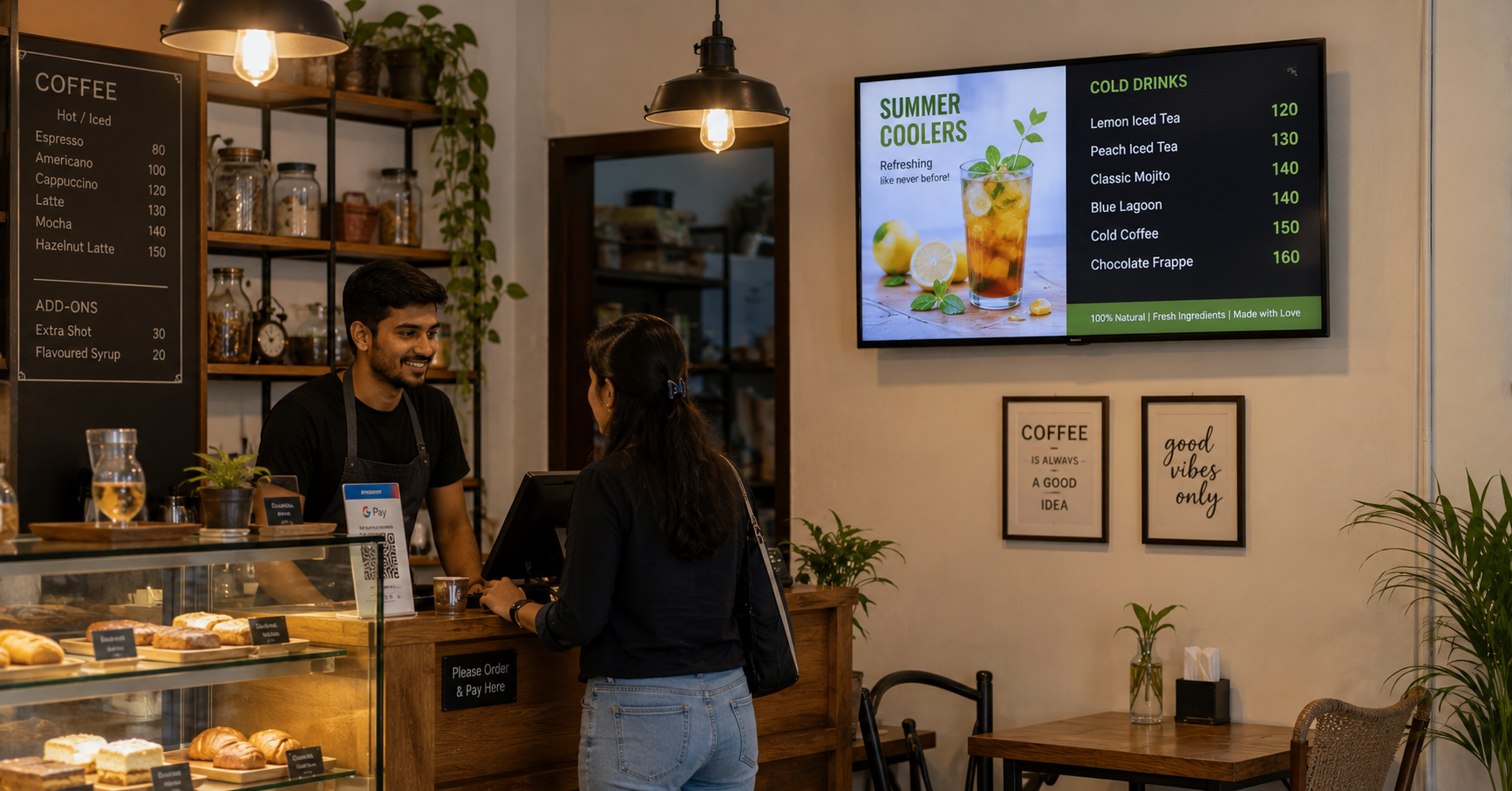
What it is: A commercial-grade screen, 43 to 55 inches for most small business applications, connected to a media player running a Lite-tier CMS platform. The display mounts on a wall or sits on a counter stand. Content is managed from a browser, upload images or videos, set a playlist, done.
What it costs: Hardware in the ₹25,000 to ₹60,000 range for a commercial-grade display at this size. A Lite-tier CMS subscription adds a manageable monthly or annual cost. Total first-year investment for a single-screen deployment is typically well within ₹75,000 to ₹1,00,000 including installation.
What it’s best for: A single-outlet QSR or café looking to replace a printed menu board. A boutique retail store wanting a promotional display at the entrance. A standalone clinic needing a patient information screen in the waiting room. Any small business with one location and a simple content requirement.
What to avoid: Using a consumer television instead of a commercial display. Consumer TVs are not rated for extended daily operation, often have lower brightness than commercial displays, and typically lack the remote management capability a commercial CMS requires. The short-term cost saving typically results in a display that fails prematurely and cannot be managed remotely.
Option 2: A Digital Standee
What it is: A freestanding display on a floor stand, typically 43 to 55 inches, that requires no wall installation, no structural work, and minimal setup. Plug in, connect to Wi-Fi, manage content from a browser.
What it costs: Comparable to a wall-mounted display of the same size, with the addition of the stand. The installation cost is significantly lower, no wall mounting, no cabling to conceal, no structural survey required. For leased premises where wall modifications are restricted, this is often the only viable option for a display of this size.
What it’s best for: Small retail outlets, branded cafés and tea shops, service counters, pop-up retail presence, any business in a leased space where wall installation is restricted or impractical.
Key consideration: Placement matters more for a standee than for a wall-mounted display, because the standee can move. Put it where customers are already looking, near the entrance, at the queue point, adjacent to the product or service being promoted. A standee in the wrong position delivers a fraction of the value of one in the right position.
Option 3: A Counter-Top Display
What it is: A compact screen, typically 10 to 21 inches, on a counter or desk surface, facing the customer at the point of service or payment.
What it costs: The most affordable entry point in commercial digital signage, hardware in the ₹8,000 to ₹25,000 range depending on size and specification. For a small business looking to test digital display before committing to a larger installation, a counter-top display is a low-risk starting point.
What it’s best for: Billing counters, pharmacy service desks, beauty salon and spa reception desks, food counter upsell points, any location where the customer is stationary and close to a screen for 30 to 60 seconds. The billing moment is the last opportunity to communicate before the transaction closes, a counter-top display with a well-timed promotion or loyalty programme prompt uses this moment commercially.
Key consideration: Content at close range needs to be legible at close range. Large text, simple messages, high contrast. Detailed imagery or fine print that reads well on a 55-inch display does not read well on a 15-inch counter-top screen viewed from 50 centimetres.
The CMS Question for Small Businesses
Small businesses do not need a Pro-tier CMS with role-based access, multi-outlet management, and API integration. They need a system that:
- Lets them upload content from a phone or laptop without technical knowledge
- Lets them schedule content to change at specific times, a breakfast menu switching to a lunch menu automatically
- Shows them that the content is actually playing on the screen
- Works reliably enough that they’re not spending time troubleshooting instead of running the business
A Lite-tier CMS, simpler interface, single or small screen counts, core scheduling and playlist functionality, delivers all of this at a significantly lower cost than a full enterprise platform. The upgrade path to a Pro-tier system exists when the business grows to multiple outlets and the management requirements increase. Starting with a Pro-tier system for a single-outlet small business is an unnecessary cost that doesn’t deliver proportional value.
What Budget-Friendly Does Not Mean
A useful distinction for small business buyers: budget-friendly means right-sized investment for the current requirement, not the lowest possible cost regardless of quality.
The common false economies in budget digital display purchases:
Consumer televisions. A 55-inch consumer TV costs less than a commercial display of the same size. It also runs at lower brightness in ambient light, is not rated for more than 4 to 6 hours of daily operation, lacks the port configuration that a CMS media player needs, and typically cannot be remotely managed. For a business that needs a display running 10 to 12 hours a day, a consumer TV is not a budget option, it’s a replacement cost waiting to happen.
Free or very low-cost CMS platforms. Some free CMS options exist, typically with significant limitations: restricted content formats, limited scheduling capability, no playback confirmation, slow customer support. For a business that will actually use its display to communicate time-sensitive information, a free CMS that can’t reliably push updates is not a saving, it’s a source of frustration that makes the display less useful.
Undersized screens. A 32-inch display that saves ₹8,000 in hardware cost but is too small to be legible from the customer’s natural viewing position is not a budget choice, it’s a wasted investment. The right screen size for the viewing distance and environment is always the correct specification, even if it costs more than the smallest available option.
The Budget-Friendly Starting Point That Actually Works
For a small business making its first digital display investment, the configuration that delivers genuine return at appropriate cost:
- One commercial-grade 43-inch display (wall-mounted or standee, depending on premises)
- One Lite-tier CMS subscription
- Professional installation including power and network connection
- An initial content set, three to five pieces of content covering the primary communication need (menu, current promotion, brand message)
Total investment in this configuration is typically ₹60,000 to ₹1,20,000 depending on location, display format, and installation complexity. Running cost is the CMS subscription and electricity, both modest.
The return comes from content that stays current without printing costs, promotions that can be activated the same day they’re decided, and a display that looks professional enough to affect how customers perceive the business.
The Question Worth Asking Before Any Purchase
“If I had this display in place today, what would I put on it, and how often would I change it?”
If the answer is clear and the update cadence is realistic for the team that will manage it, the investment makes sense. If the answer is vague, “we’d figure out the content later”, the content plan needs to be sorted before the hardware is purchased, because a display with no content strategy is an expensive screensaver regardless of what it cost.
If you’re a small business evaluating a first digital display investment and want to understand what a right-sized, realistic deployment looks like for your specific situation, we’d be glad to advise, without overselling capability you don’t need yet.
Get in touch: contact@techworksworld.com | +91-99109 65918 | techworksworld.com