Digital Display Solutions That Support Remote Content Updates: What to Look For
The ability to update content remotely from a central location, without visiting each screen is not a premium feature of digital signage. It’s the baseline requirement that makes the technology commercially viable for any operator running more than one location.
And yet, a surprising number of digital display deployments in India fail to deliver this capability reliably. The screens are installed, the hardware works, and the content management system was described as “cloud-based” in the proposal. But updating content across ten outlets simultaneously turns out to require manual steps per screen, or the system goes offline intermittently and content doesn’t sync, or the CMS is so cumbersome that nobody on the team actually uses it.
This post covers what remote content update capability actually means in practice, what to look for when evaluating display solutions, and the specific questions that separate systems that genuinely deliver it from systems that nominally claim to.
What Remote Content Update Actually Means
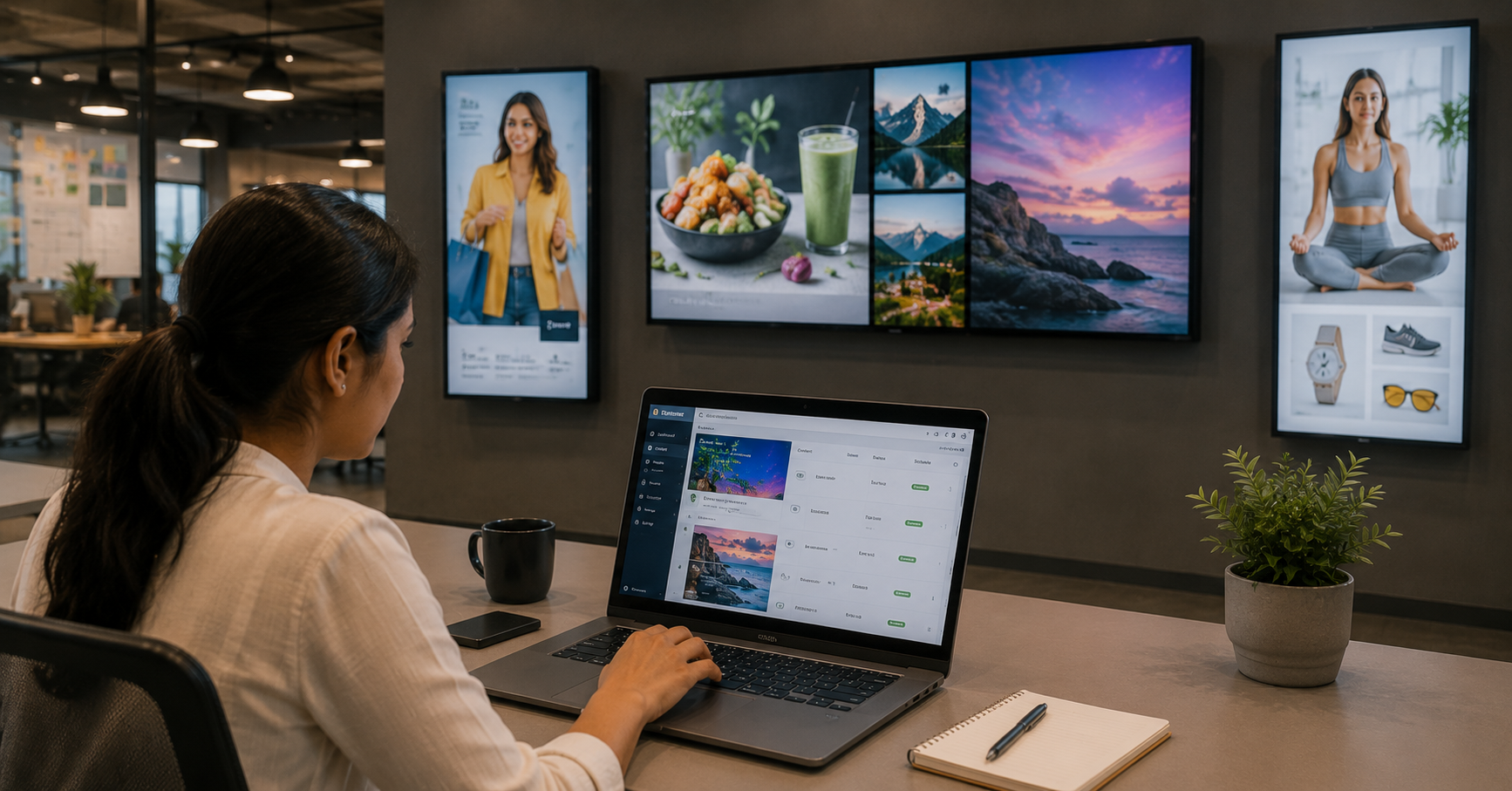
A truly remote content update workflow looks like this: a content manager opens a browser on their laptop in the head office, uploads or selects the new content, assigns it to the relevant screens or screen groups, sets a schedule if needed, and clicks publish. The update goes live on every assigned screen within minutes regardless of whether those screens are in the same building or across twelve cities.
That is the bar. Anything that requires additional steps, logging into individual screens, physically transferring files, calling the vendor’s support team, or waiting for a scheduled overnight sync is not genuinely remote content management. It may be better than reprinting and physically replacing signage, but it falls well short of what the technology should deliver.
The Four Capabilities That Determine Whether Remote Updates Actually Work
1. Cloud-Based CMS with Browser Access
The content management system should be accessible from any standard web browser, without requiring proprietary software installed on a specific machine. A web-based CMS means the content manager can update screens from the office, from home, from a laptop at a client meeting, or from a phone in an emergency.
“Cloud-based” is a term vendors use freely, and it doesn’t always mean the same thing. The practical test: can a new team member log in from any device and push a content update on their first day, with no software installation or IT configuration? If not, the system is not truly cloud-based in any useful operational sense.
2. Screen Grouping and Bulk Assignment
Remote updates only scale if content can be assigned to groups of screens rather than individual devices. An operator managing fifty screens across ten outlets should be able to update all fifty simultaneously with a single action or update all screens in a specific city, or all screens of a specific type, without touching screens that don’t need updating.
Screen grouping is the feature that determines whether a CMS is appropriate for multi-location operations. Without it, managing a large network becomes a per-device administration task that grows linearly with screen count which is not remote management, it’s just remote manual labour.
3. Reliable Background Sync and Offline Resilience
Remote content updates depend on a persistent, reliable connection between the CMS and each screen. In India’s network environment where connectivity at retail outlets, QSR locations, and smaller commercial spaces is not uniformly stable, this connection cannot be assumed to be always-on.
A well-designed system handles connectivity interruptions gracefully: the screen continues playing the current content, the CMS queues any pending updates, and the new content syncs automatically when connectivity is restored without any manual intervention and without the screen going blank or displaying an error state.
Ask vendors specifically: what happens to a screen when it loses internet connectivity? A vendor who says “it will keep playing the last content” is describing a system designed for real-world India. A vendor who says “it will reconnect when the internet comes back” without specifying what happens during the outage is describing a system that may not handle this gracefully.
4. Update Confirmation and Playback Reporting
Pushing a content update remotely is only useful if you can confirm it actually reached the screens it was assigned to. A capable CMS provides screen-level status reporting: which screens received the update, when, and whether they’re currently playing the assigned content.
For multi-outlet operators running time-sensitive campaigns, a promotional offer that must go live at a specific time, a price change that must not show the old price after a certain date, update confirmation is not optional. Without it, remote content management is an act of faith rather than a managed process.
Hardware Compatibility: Not All Screens Support Genuine Remote Management
Remote content update capability depends not just on the CMS but on the hardware it connects to. Two aspects of hardware specification directly affect remote management reliability:
Media player quality and connectivity. The media player, the device that receives content from the CMS and outputs it to the screen determines how reliably the screen connects to the cloud platform. Commercial-grade media players designed for signage deployments maintain more stable connections, handle background syncing more reliably, and recover from connectivity interruptions more gracefully than consumer-grade devices or low-cost Android sticks repurposed for signage use.
Remote monitoring and health reporting. Some media player and screen combinations allow the CMS to monitor hardware health remotely detecting if a screen has gone dark, if the media player has crashed, or if the display is not outputting correctly. This is distinct from content management but complementary to it: an operator managing a distributed network benefits from knowing about hardware issues before a customer or store manager reports them.
The CMS Evaluation Questions Worth Asking
When evaluating a digital display solution specifically for remote content management capability, ask these questions in the vendor conversation and ask for a live demonstration of each, not a description:
“Can you show me, live, how I would update content on all screens in a specific city simultaneously?” This tests bulk assignment and screen grouping in practice. A vendor with a capable system will show you in under two minutes.
“What happens to a screen when its internet connection drops? Can you show me?” This tests offline resilience. A vendor with a robust system will be able to demonstrate the behaviour.
“How do I confirm that a content update has been received and is playing on a specific screen?” This tests playback confirmation and reporting. A vendor with a capable system will show you a screen status dashboard or confirmation log.
“How many steps does it take to update a single piece of content across all fifty screens in our network?” Count the steps in the live demonstration. A well-designed system should require fewer than five actions. If the answer involves downloading files, connecting to individual screens, or any step that scales with screen count, the system is not genuinely suited to remote multi-location management.
“What is the CMS’s uptime SLA, and what is the process if the platform goes down?” Remote management depends on the platform being available. A vendor who cannot provide an uptime SLA for their CMS is describing a service that hasn’t been engineered for commercial reliability.
Connectivity Planning: The Part Operators Often Skip
Even the best CMS cannot deliver reliable remote updates to screens that don’t have adequate connectivity. This is the planning step that operators most commonly skip because connectivity is someone else’s problem until it isn’t.
Before deploying screens in any location, verify:
- Is there existing Wi-Fi at the installation location? What is the signal strength at the screen’s specific placement position, not just in the centre of the room?
- Is the Wi-Fi shared with other devices and users in the same space, creating congestion during peak hours? For critical screens, a dedicated network connection is preferable.
- Is wired LAN connectivity available or feasible? A wired connection is significantly more reliable than Wi-Fi for a device that needs to maintain a persistent cloud connection throughout operating hours.
- For locations in areas with known connectivity instability, what is the offline resilience model and is the CMS configured to cache content locally in advance of scheduled updates rather than syncing at the point of playback?
Connectivity planning is as much a part of deploying a remote-manageable screen network as the hardware and software specification. It’s worth a site assessment at each location before installation, not a discovery after deployment.
The Summary Checklist
When evaluating digital display solutions for remote content update capability, verify:
- Web-based CMS accessible from any browser on any device, no proprietary software required
- Screen grouping and bulk assignment, update by outlet, region, screen type, or any logical group with a single action
- Offline resilience, screens continue playing on connectivity loss; updates sync automatically on reconnection
- Update confirmation and playback reporting, screen-level status visible from the CMS dashboard
- Commercial-grade media players, not consumer devices repurposed for signage
- Remote hardware health monitoring, visibility into screen status without a site visit
- CMS uptime SLA, a documented commitment from the vendor on platform availability
- Connectivity plan for each location, verified before installation, not assumed
If you’re evaluating digital display solutions and want to understand whether a specific system genuinely delivers remote content management at the scale and reliability your operation requires, we’d be glad to walk through it, including a live demonstration of how xtravu DSS handles each of the capabilities above.
Get in touch: contact@techworksworld.com | +91-99109 65918 | techworksworld.com