Best Digital Display Solutions for Quick Service Restaurants
Quick service restaurants have more to gain from digital display technology than almost any other commercial environment. The combination of high transaction volume, time-sensitive promotions, multi-channel ordering, and the constant need to communicate across a noisy, fast-moving environment makes every minute of customer attention valuable, and every piece of static, outdated signage a missed opportunity.
This guide covers the display formats that work in QSR environments, what each one does best, and how to build a coherent display strategy across the full customer journey from arrival to kitchen.
The Customer Journey a QSR Display Strategy Needs to Cover
Before selecting formats, map the journey. A QSR customer moves through several distinct moments, each with different communication needs:
Outside the outlet: passing the storefront, deciding whether to enter. Window displays and entrance-facing screens serve this moment.
Inside, before ordering: browsing the menu, forming a decision. This is the primary function of digital menu boards.
At the counter or kiosk: placing the order. Counter displays, kiosks, and menu boards serve this moment.
Waiting for the order: standing near the counter or in a waiting zone. A secondary communication opportunity.
In the kitchen: the order being prepared. Kitchen displays are the operational backbone of fulfilment.
A complete QSR display strategy addresses each of these moments. Most deployments address two or three of them. The strongest deployments address all of them, with hardware and content calibrated to the specific job each moment requires.
The Display Formats Worth Considering for QSR
1. Digital Menu Boards (DMB)
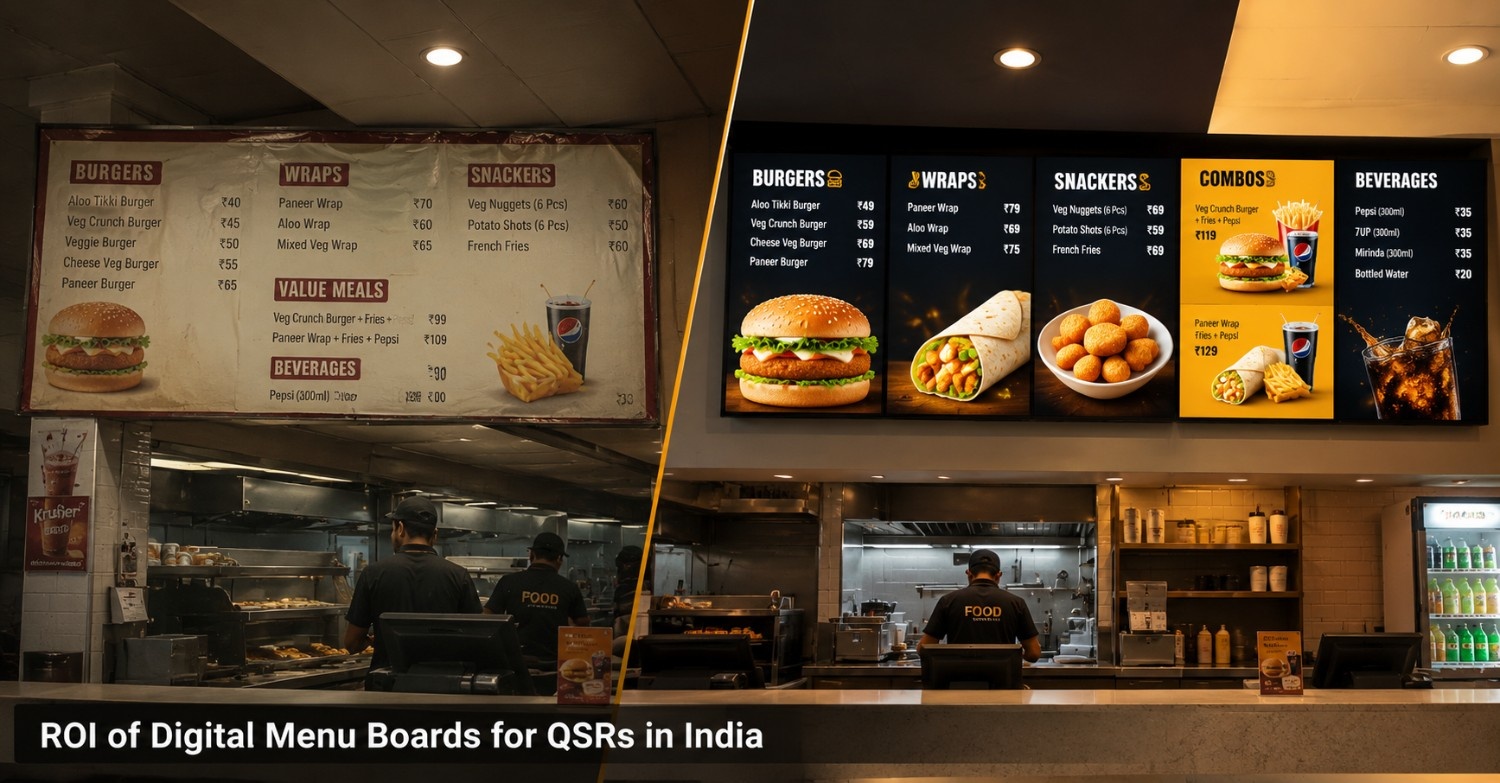
What they are: Commercial-grade screens, typically 43 to 75 inches, mounted in single or multi-panel configurations, showing the menu behind or above the counter. The primary display format in any QSR environment.
What they do best: Communicating the menu clearly, promoting high-margin items, running daypart-specific content (breakfast vs. lunch vs. dinner menus), and enabling price and item updates without reprinting. Connected to a CMS, a digital menu board can be updated in minutes from a central location, a price change, a sold-out item, a limited-time offer, without any physical intervention at the outlet.
Key specification considerations for QSR:
- Brightness: Counter environments are often well-lit, and screens need to be legible from a standing queue distance without washing out. 500 to 700 nits is typically adequate for most indoor QSR environments; higher for any screen with direct sunlight exposure.
- Size and layout: The number of panels and their arrangement should match the menu complexity and the counter length. A three-panel configuration showing categories across the width of the counter is the most common starting point for a full-service QSR outlet.
- Content scheduling: Dayparting, automatically switching from a breakfast to a lunch to a dinner menu at preset times, reduces manual intervention and ensures the right menu is always showing without staff action.
Best for: Every QSR outlet. This is the non-negotiable foundation of a QSR display strategy.
2. Self-Order Kiosks (SOK)
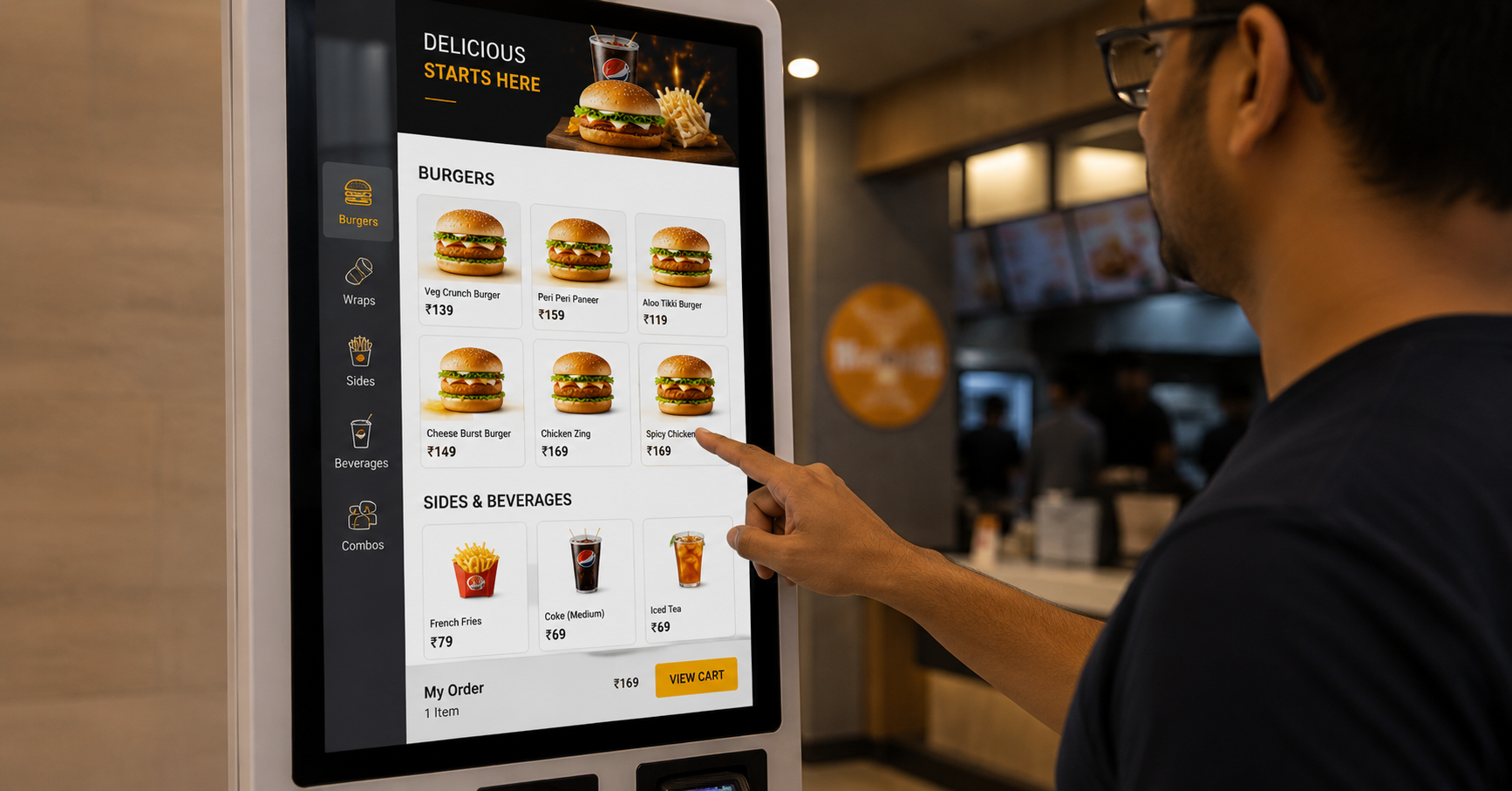
What they are: Freestanding touchscreen terminals, typically 21 to 32 inches, floor-mounted, where customers browse the full menu, customise orders, and pay without counter staff involvement.
What they do best: Increasing average ticket size (customers browse more freely without queue pressure), reducing counter congestion during peak hours, and handling the detail of order customisation that slows down counter service. Research across QSR markets consistently shows that kiosk orders outperform counter orders on ticket value, typically by 15 to 30%, because customers who choose themselves order more and customise more.
Key specification considerations for QSR:
- Interface design: The ordering UI needs to be intuitive for a first-time user in under 30 seconds. Large touch targets, clear category navigation, and a visible cart summary throughout the ordering flow are non-negotiable.
- Payment integration: Indian QSR customers pay by UPI, card, and cash. A kiosk that doesn’t support UPI will be bypassed by a significant proportion of customers. Payment failure handling, what happens when a transaction drops mid-flow, needs to be explicitly tested before deployment.
- POS integration: The kiosk needs to feed orders directly into the POS system and from there to the kitchen display. A kiosk that generates a separate ticket requiring staff re-entry into the POS is not a functional deployment.
- Placement: Kiosks positioned near the entrance, before the counter queue forms, capture customers before they join the line. Kiosks placed after the queue forms compete with the counter rather than diverting from it.
Best for: QSR outlets with significant dine-in or in-store traffic, outlets with peak-hour queue management challenges, and chains looking to reduce front-of-house headcount dependency without reducing throughput.
3. Kitchen Order Display (KOD)
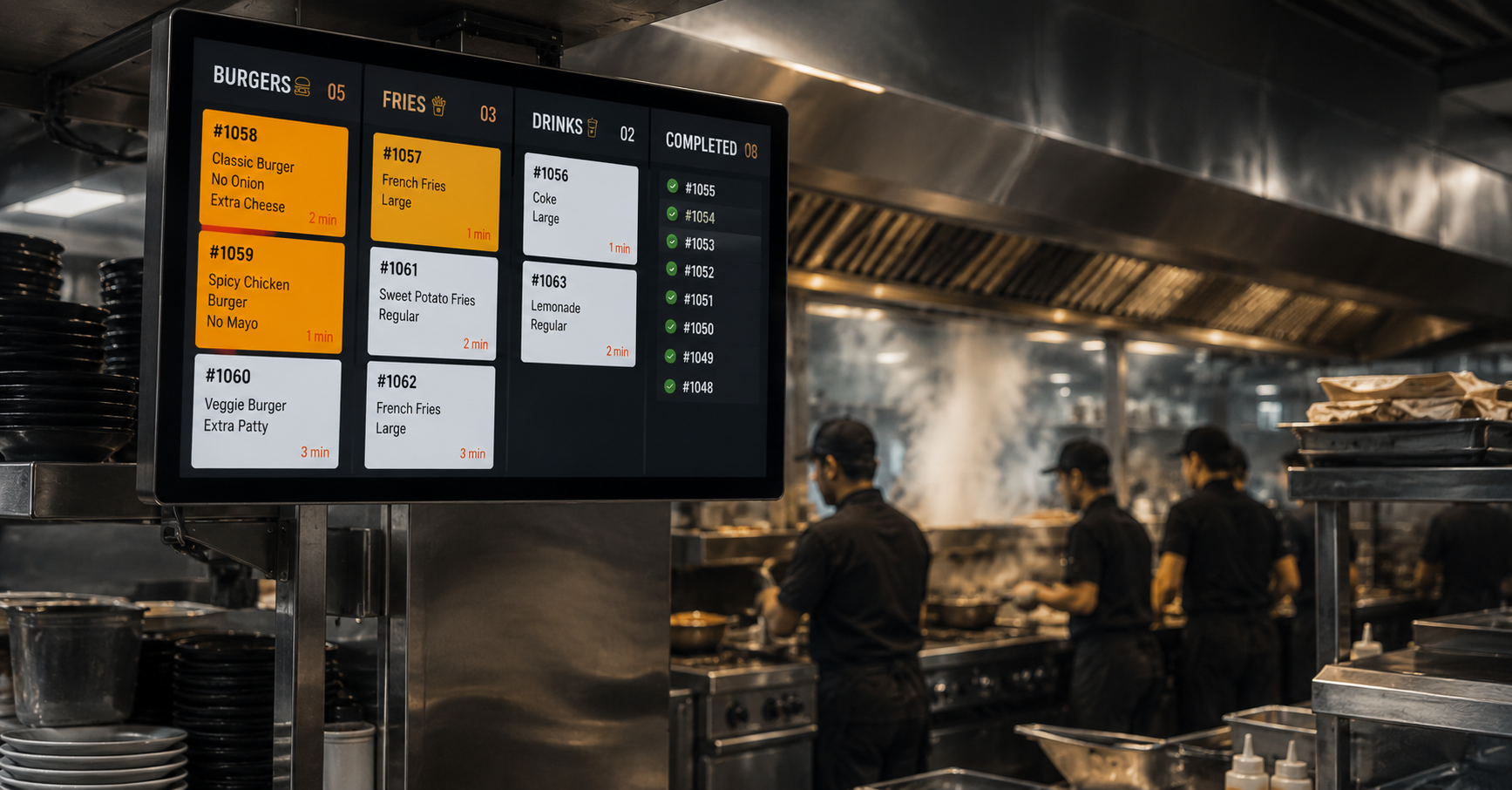
What it is: A back-of-house screen-based system that replaces printed order dockets, showing the kitchen team what to prepare, in what sequence, and with what modifications, routed to the relevant station automatically.
What it does best: Reducing order errors, improving preparation speed through better sequencing, consolidating orders from multiple channels (counter, kiosk, delivery aggregators) into a single kitchen queue, and generating operational data on preparation times and bottlenecks that paper tickets cannot.
Key specification considerations for QSR:
- Heat and environment: Kitchen screens operate in hot, humid, grease-laden environments. Hardware needs to be rated for these conditions, not office-grade screens repurposed for kitchen use.
- Simple interaction model: Kitchen staff interact with the KOD under high-pressure, time-constrained conditions. The interface needs to be operable with one tap per order action, no complex navigation.
- Channel consolidation: The full value of a KOD is realised when all order channels feed into it. A KOD that only shows counter orders, while delivery aggregator orders continue printing separately, solves half the problem.
Best for: Every QSR outlet with more than one ordering channel. Non-negotiable for outlets running delivery aggregators alongside dine-in and takeaway.
4. Digital Standees
What they are: Freestanding 32 to 55 inch screens on floor stands, repositionable without structural installation.
What they do in QSR: Positioned near the entrance or queue area, digital standees serve as a first-touch communication surface before the customer reaches the counter. New product launches, limited-time offers, combo promotions, and loyalty programme messaging can be communicated at the moment the customer is deciding what to order, before they’re at the menu board and already in decision mode.
Key consideration: A standee near the entrance showing a compelling offer influences the order before it’s placed. This is a different communication job from the menu board, which confirms and finalises, the standee creates appetite and intent.
Best for: High-footfall outlets where entrance communication can influence ordering behaviour before the customer reaches the counter. Also useful for queue areas where customers are waiting and receptive to promotional content.
5. Counter-Top Displays
What they are: Compact screens, typically 10 to 21 inches, mounted on the counter surface, facing the customer at the point of payment.
What they do in QSR: The billing counter is the last moment before the transaction closes. A counter-top display showing an upsell prompt, “add a dessert for ₹49”, or a loyalty programme enrolment prompt uses this moment commercially. It’s also the right location for brand communication content when no transaction is actively in progress.
Best for: Counters where staff-assisted transactions are common. Less critical in kiosk-dominant configurations where the upsell opportunity is built into the kiosk ordering flow.
The Configuration That Works for Most QSR Outlets
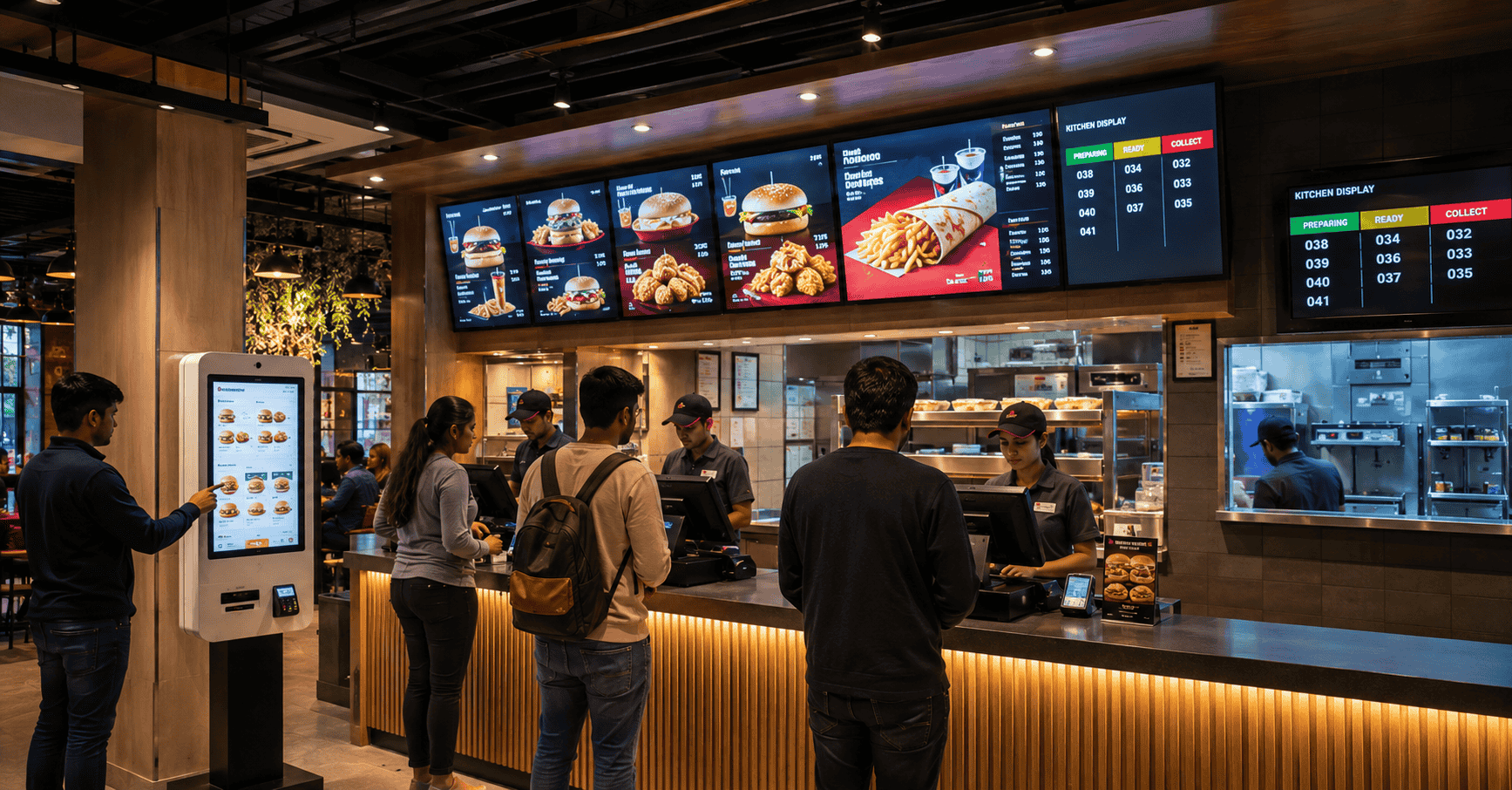
For a standard QSR outlet with dine-in, takeaway, and delivery:
Minimum viable configuration:
- Digital menu boards above the counter (3 panels for a standard counter width)
- Kitchen order display in the kitchen (one screen per station for multi-station kitchens)
Full configuration:
- Digital menu boards above the counter
- Self-order kiosks near the entrance (2 units minimum for a medium-footfall outlet)
- Kitchen order display, integrated with POS and kiosk
- Digital standee at the entrance or queue area
- Counter-top display at the billing point
For multi-outlet chains: All of the above, managed from a central CMS, xtravu DSS Pro, that allows HQ to push menu updates, pricing changes, and campaign content simultaneously to every outlet, with per-outlet scheduling and local override capability where needed.
The CMS Requirement: What Makes the Hardware Work
Every display format in a QSR deployment is only as useful as the content management system behind it. For a QSR operator specifically, the CMS needs to:
- Allow price and item updates from a browser, live within minutes, without vendor involvement
- Support daypart scheduling, breakfast, lunch, dinner, late night, automatically, without manual switching
- Allow sold-out items to be removed from display in real time
- Push updates to all outlets simultaneously for chain-wide changes
- Generate playback confirmation so HQ can verify campaign content is live at every location
- Integrate with POS so kiosk and KOD data flows without manual re-entry
A CMS that doesn’t deliver these capabilities for a QSR operation is a system that will either be under-used or will create operational problems that outweigh its benefits.
If you’re planning a digital display deployment for a QSR outlet or chain, whether starting from scratch or upgrading an existing installation, we’d be glad to walk through what the right configuration looks like for your specific operation.
Get in touch: contact@techworksworld.com | +91-99109 65918 | techworksworld.com